Q.1.
The instructions that tell the computer what to do:
-
0%
Hardware
-
0%
Input
-
100%
Software
-
0%
Ooutput
Q.2.
Mobile Device Apps
-
0%
System Software
-
100%
Application Software
Q.3.
Microsoft Windows
-
100%
System Software
-
0%
Application Software
Q.4.
The type of software that the users run to do various tasks on a computer is...
-
100%
System Software
-
0%
Application Software
-
0%
Utility Software
-
0%
Operative Software
Q.5.
An Operating System is...
-
0%
Used for creating graphs and docutments
-
0%
The most common type of system software
-
0%
Only found in desktop computers
-
100%
All of these
Q.6.
Software that controls all of the computers hardware is...
-
100%
Program Software
-
0%
Application Software
-
0%
Instructional Software
-
0%
System Software
Q.7.
What are the 2 main types of software?
-
100%
System and Application
-
0%
Informational and Entertainment
-
0%
Dynamic and Static
-
0%
Professional and Home-based
Q.8.
Which of the following is true of locally-installed software?
-
0%
It is installed and runs directly on your device.
-
0%
It is streamed to your device whenever you use it.
-
0%
It is hosted in the cloud.
-
100%
It is automatically updated.
Q.9.
Which of the following defines what you can do with the software you have purchased?
-
100%
An End User License Agreement (EULA).
-
0%
The Software Assurance Agreement Services (SAAS) regulation.
-
0%
The Windows Registry.
-
0%
The Fair Use Act.
Q.10.
What is the best way to remove a software program from your system?
-
100%
Use the Uninstall a program command in the Control Panel.
-
0%
Delete any files related to the software using File Explorer.
-
0%
Remove the app from the Start menu and tiles.
-
0%
Use a third-party program to uninstall the program.
Q.11.
Why should you register your software when you install it?
-
0%
To ensure you receive notification of available updates.
-
0%
To ensure that you receive marketing materials from the software vendor.
-
100%
All users are required by law to register any and all installed software.
-
0%
To ensure that you can get a free version of the next major upgrade.
Q.12.
If you need to repair a Microsoft Office program, which option completely uninstalls and then reinstalls the software?
-
100%
Quick Repair
-
0%
Online Repair
-
0%
Neither option uninstalls and then reinstalls.
-
0%
Both options uninstall, then reinstall; one is faster than the other.
Q.13.
Which of the following items can you send in a Skype instant message?
-
0%
You can send all of these items via Skype.
-
0%
Document files and images.
-
100%
Video messages.
-
0%
Contact cards and Mojis.
Q.14.
True or FalseA smartphone is a type of computer?
-
100%
TRUE
-
0%
FALSE
Q.15.
DOS stands for.
-
0%
Disk optional System
-
0%
Disk Open System
-
100%
Disk Operating System
-
0%
None
Q.16.
Which of the following is software?
-
0%
Printer
-
0%
Processor
-
100%
Program
-
0%
Motherboard
Q.17.
Which of the following is NOT a function of operating systems?
-
0%
Giving instructions to hardware.
-
0%
Interfacing between users and computers.
-
0%
Designing a poster.
-
100%
Managing the memory in a computer.
Q.18.
An example of application software is a word processor.
-
0%
TRUE
-
0%
FALSE
Q.19.
Application software requires an operating system in orderto run.
-
0%
TRUE
-
0%
FALSE
Q.20.
Spreadsheet software is used to create simple programs (e.g. animations or games).
-
0%
TRUE
-
0%
FALSE
Q.21.
Con il termine software si intende:
-
0%
Una particolare tecnologia per navigare in Internet
-
0%
L'insieme delle istruzioni che indicano al computer cosa fare
-
0%
I componenti fisici di un computer
Q.22.
Il termine "algoritmo":
-
0%
ha lo stesso significato del termine "programma"
-
0%
indica una sequenza finita di operazioni per risolvere un problema
-
0%
indica una formula di calcolo
Q.23.
Un programma è:
-
0%
un algoritmo
-
0%
un algoritmo scritto in un linguaggio di programmazione
-
0%
un algoritmo rappresentato in forma grafica
Q.24.
Un diagramma di flusso è:
-
0%
un algoritmo
-
0%
un algoritmo scritto in un linguaggio di programmazione
-
0%
un algoritmo rappresentato in forma grafica
Q.25.
Come si chiama il software che controlla il funzionamento dell'hardware di un computer?
-
0%
Algoritmo
-
0%
Software applicativo
-
0%
Software di base
Q.26.
Quale tra i seguenti software non è un sistema operativo?
-
0%
Windows
-
0%
Office
-
0%
Linux
Q.27.
Quale tra queste affermazioni è vera?
-
0%
Un software applicativo è dedicato a particolari esigenze dell'utente.
-
0%
Un programma multipiattaforma funziona su un solo sistema operativo.
-
0%
Un programma di videoscrittura si considera un software applicativo a scopo specifico.
-
0%
Un programma per la gestione di una biblioteca si considera un software applicativo a scopo generale
Q.28.
Quale tra i seguenti non è un software applicativo?
-
0%
Word
-
0%
Unix
-
0%
Excel
Q.29.
Con il termine EULA si intende:
-
0%
Un contratto per l'utilizzo di un software
-
0%
Il numero di registrazione di un software
-
0%
Un software applicativo per la produttività aziendale
Q.30.
Un software liberamente utilizzato senza il pagamento di un corrispettivo in denaro, ma non di cui non è disponibile il codice sorgente e che dunque non può essere modificato dall'utente, si dice
-
0%
Software proprietario
-
0%
Software libero (Open Source)
-
0%
Freeware
Q.31.
Es un ejemplo de...
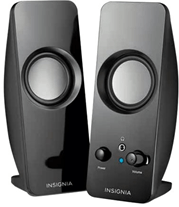
-
0%
Hardware
-
0%
Software
Q.32.
Es un ejemplo de...
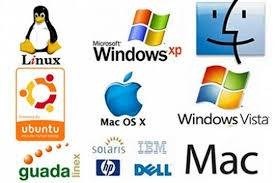
-
0%
Hardware
-
0%
Software
Q.33.
Es un ejemplo de...
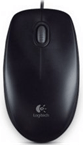
-
0%
Hardware
-
0%
Software
Q.34.
Es un ejemplo de...

-
0%
Hardware
-
0%
Software
Q.35.
Es un ejemplo de...
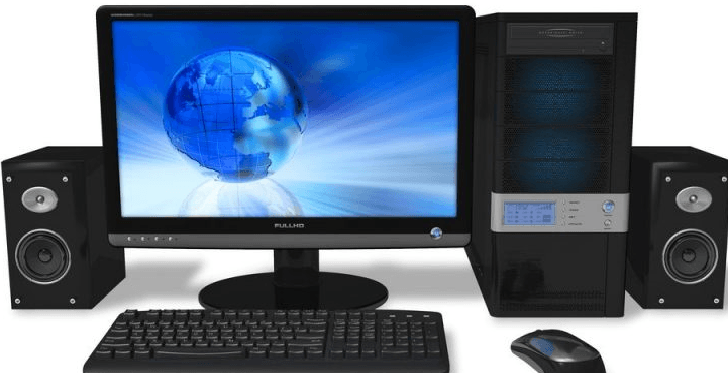
-
0%
Hardware
-
0%
Software
Q.36.
Es un ejemplo de....
-
0%
Hardware
-
0%
Software
Q.37.
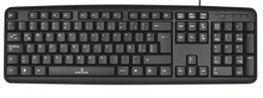
Es un ejemplo de...
-
0%
Hardware
-
0%
Software
Q.38.
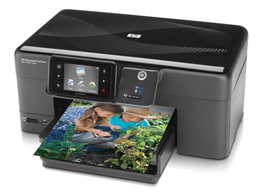
Es un ejemplo de...
-
0%
Hardware
-
0%
Software
Q.39.
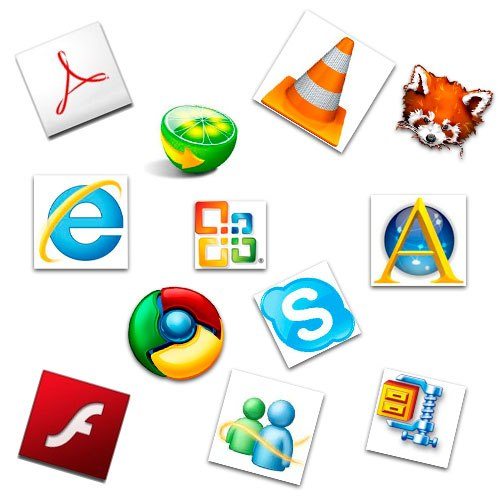
Son ejemplos de...
-
0%
Hardware
-
0%
Software
Q.40.
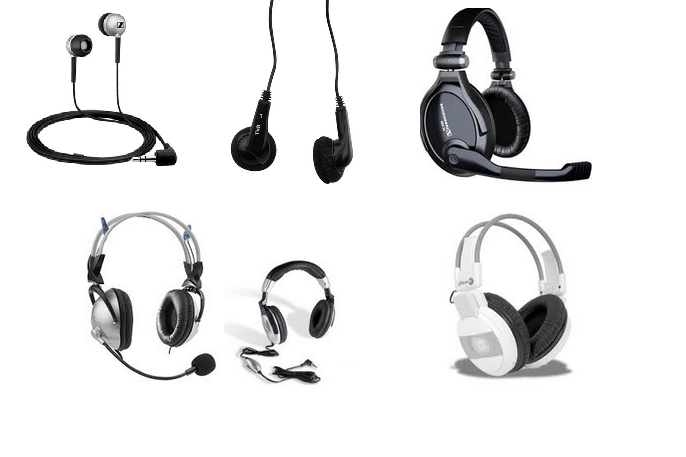
Es ejemplo de...
-
0%
Hardware
-
0%
Software
Q.41.
Java

-
0%
Software de Sistema
-
0%
Software de Programación
-
0%
Software de Aplicación
Q.42.
C++

-
0%
Software de Sistema
-
0%
Software de Programación
-
0%
Software de Aplicación
Q.43.
Microsoft Excel
-
0%
Software de Sistema
-
0%
Software de Programación
-
0%
Software de Aplicación
Q.44.
Microsoft Windows
-
0%
Software de Sistema
-
0%
Software de Programación
-
0%
Software de Aplicación
Q.45.
Linux

-
0%
Software de Sistema
-
0%
Software de Programación
-
0%
Software de Aplicación
Q.46.
Corel Draw

-
0%
Software de Sistema
-
0%
Software de Programación
-
0%
Software de Aplicación
Q.47.
Phyton

-
0%
Software de Sistema
-
0%
Software de Programación
-
0%
Software de Aplicación
Q.48.
PowerPoint
-
0%
Software de Sistema
-
0%
Software de Programación
-
0%
Software de Aplicación
Q.49.
PowerPoint

-
0%
Software de Sistema
-
0%
Software de Programación
-
0%
Software de Aplicación
Q.50.
McAfee

-
0%
Software de Sistema
-
0%
Software de Programación
-
0%
Software de Aplicación
Q.51.
An example of programming language.
-
0%
Linux
-
0%
Windows
-
0%
Html
Q.52.
------------------------ perform basic tasks, such as recognizing input from the keyboard.
-
0%
Software
-
0%
operating system
-
0%
Tailor-made software
Q.53.
Computer divides into two components:
-
0%
ROM,RAM
-
0%
Hardware,Software
-
0%
Clint,Server
Q.54.
The example of operating system-----------
-
0%
Microsoft windows
-
0%
Ms excel
-
0%
Adobe photoshop
Q.55.
The -----------------is a program installed on the computer. It is that component of computer that you can’t touch.
-
0%
Hardware
-
0%
Software
-
0%
Programming language
Q.56.
The ------------------is the physical part of the computer. It is that component of a computer that you can touch.
-
0%
Software
-
0%
Hardware
-
0%
Operating system
Q.57.
A--------------- is written as a series of human understandable computer instructions that can be read by a compiler and linker.
-
0%
End-user software
-
0%
Programming language
-
0%
Operating system
Q.58.
This software is dedicated to end-users and helps them perform computer tasks in their daily work.
-
0%
End-user software
-
0%
Operating system
-
0%
Programming language
Q.59.
A person who develops software is known as a software engineer.
-
0%
True
-
0%
False
Q.60.
Every general-purpose computer must have an operating system to run other programs.
-
0%
True
-
0%
False
Q.61.
-------------------is an output device that produces texts and graphics on paper.
-
0%
Printer
-
0%
Keyboard
-
0%
Programming language
Q.62.
ìThey are the first of the kind of printers that print in color.
-
0%
Dot matrix printers
-
0%
Ink jet printers
-
0%
Laser printers
Q.63.
The disadvantage of this category of printers is the high cost of printing.
-
0%
Dot matrix printers
-
0%
Ink Jet printers
-
0%
Laser printers
Q.64.
These printers are the most effective for business use as well as for use at home.
-
0%
Dot Matrix printers
-
0%
Ink Jet printers
-
0%
Laser printers
Q.65.
Data is the raw form of information stored in the computer.
-
0%
True
-
0%
False
Q.66.
Data security is objective is to ensure privacy while protecting personal or corporate data.
-
0%
True
-
0%
False
Q.67.
Software error, virus infection from the internet can harm your data.
-
0%
Human error
-
0%
File corruption
-
0%
Hardware problem
Q.68.
This security mechanism uses mathematical schemes and algorithms to scramble data into unreadable text.
-
0%
Encryption
-
0%
Backup solution
-
0%
Antivirus program
Q.69.
Is what type of software?

-
0%
system software
-
0%
programming software
-
0%
application software
-
0%
utility software
Q.70.
What type of software in the picture?

-
0%
system software
-
0%
programming software
-
0%
application software
-
0%
none of the above
Q.71.
Mac OS is an example of ______________ software.
-
0%
application
-
0%
utility
-
0%
system
-
0%
programming
Q.72.
C++, Visual Basic and Cobol are example of ________________ software.
-
0%
application
-
0%
utility
-
0%
system
-
0%
programming
Q.73.
Which of the following is the correct flow of data in computer operation?
-
0%
input-process-output
-
0%
process-input-output
-
0%
output-process-input
-
0%
input-output-process
Q.74.
A computer's Operating System
-
0%
Manages the software on your computer.
-
0%
Manages the hardware on your computer
-
0%
Coordinates all of the actions of your computer
-
0%
All of the above
Q.75.
Which are examples of apps?
-
0%
Word processing software
-
0%
Angry Birds
-
0%
Google Chrome
-
0%
All of the above
Q.76.
Why is it important to regularly update your antivirus software?
-
0%
To fuel the software company's economic growth
-
0%
Because new malware is constantly being developed by the bad guys
-
0%
It will help to protect your printer, scanner, and other peripherals
-
0%
I have no clue
Q.77.
Which type of business software can be used to create a presentation using text, graphics, animation, audio and video?
-
0%
Word
-
0%
Excel
-
0%
Access
-
0%
PowerPoint
Q.78.
Which of the following is an application program for editing image?
-
0%
Media Player
-
0%
Photoshop
-
0%
Access
-
0%
PowerPoint
Q.79.
The following are programming software except
-
0%
Cobol
-
0%
Visual Basic
-
0%
Adobe Reader
-
0%
Pascal
Q.80.
Which of the following is a system software?
-
0%
Linux
-
0%
MS Office 2003
-
0%
Flipgrid
-
0%
Gmail
Q.81.
The following Video Editing software except.
-
0%
Gimp
-
0%
Filmora
-
0%
Proshow
-
0%
After Effects
Q.82.
Which of the following software is an example of spreadsheet?
-
0%
Word
-
0%
Excel
-
0%
Powerpoint
-
0%
Access
Q.83.
Which of the following is a database software?
-
0%
Word
-
0%
Excel
-
0%
Access
-
0%
PowerPoint
Q.84.
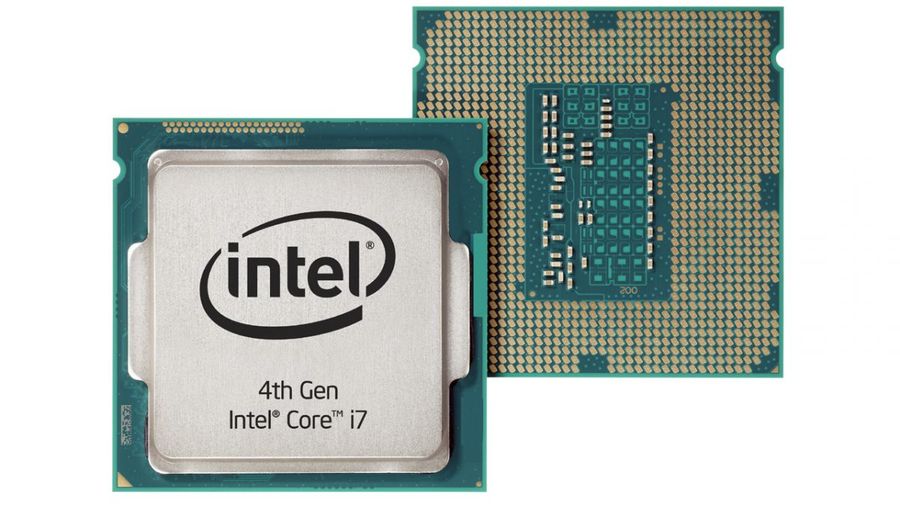
What does CPU stand for?
-
0%
Critical Processing Unit
-
0%
Core Processing Unit
-
0%
Common Processing Unit
-
0%
Central Processing Unit
Q.85.
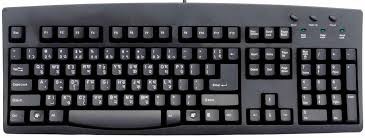
A keyboard is ______.
-
0%
input
-
0%
output
Q.86.
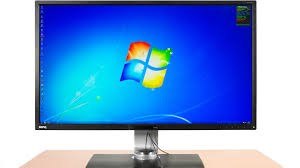
A monitor is ______
-
0%
input
-
0%
output
Q.87.
What is Software?
-
0%
User Applications and Operating Systems
-
0%
Physicals parts of a Computer
Q.88.
This is the image of a __________ .
-
0%
RAM
-
0%
ROM
-
0%
Keyboard
-
0%
Motherboard
Q.89.
An example of the computer's hardware would be ...
-
0%
MS Word
-
0%
MS Publisher
-
0%
Keyboard
Q.90.
Programs that are digital and you cannot physically touch. They give instruction to the computer.
-
0%
keyboard
-
0%
mother board
-
0%
hardware
-
0%
software
Q.91.
The CPU is called the _______________ of the computer.
-
0%
arm
-
0%
mother
-
0%
brains
-
0%
leg
Q.92.
What does RAM stand for?

-
0%
Random Accurate Maps
-
0%
Really Awesome Memory
-
0%
Read Only Memory
-
0%
Random Access Memory
Q.93.
Application software performs a useful finction.
-
0%
True
-
0%
False
Q.94.
You can touch software
-
0%
True
-
0%
False
Q.95.
Microsoft excel is an example of _________________ Software.
-
0%
Spreadsheet
-
0%
Word Processing
-
0%
Presentation
-
0%
Reference
Q.96.
Microsoft PowerPoint is an example of _____________ software
-
0%
Presentation
-
0%
Word Processing
-
0%
Spreadsheet
-
0%
Reference
Q.97.
Is what type of software?

-
0%
system software
-
0%
programming software
-
0%
application software
-
0%
utility software
Q.98.
What is this software?
-
0%
Video Game
-
0%
Antivirus
-
0%
Augmented Reality
-
0%
Social Media
Q.99.
What is this software?
-
0%
Video Game
-
0%
Antivirus
-
0%
Application
-
0%
Social Media
Q.100.
What is this software?
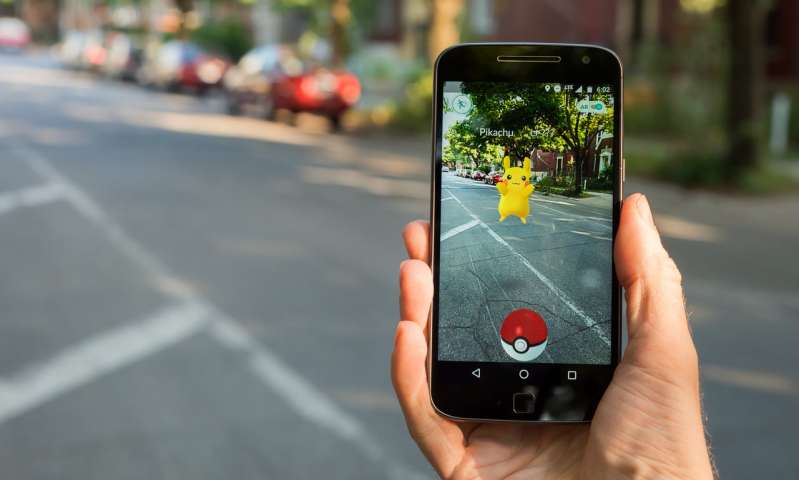
-
0%
Video Game
-
0%
Antivirus
-
0%
Augmented Reality
-
0%
Social Media
Q.101.
What is this software?

-
0%
Video Game
-
0%
Browser
-
0%
Augmented Reality
-
0%
Social Media
Q.102.
What is this software?
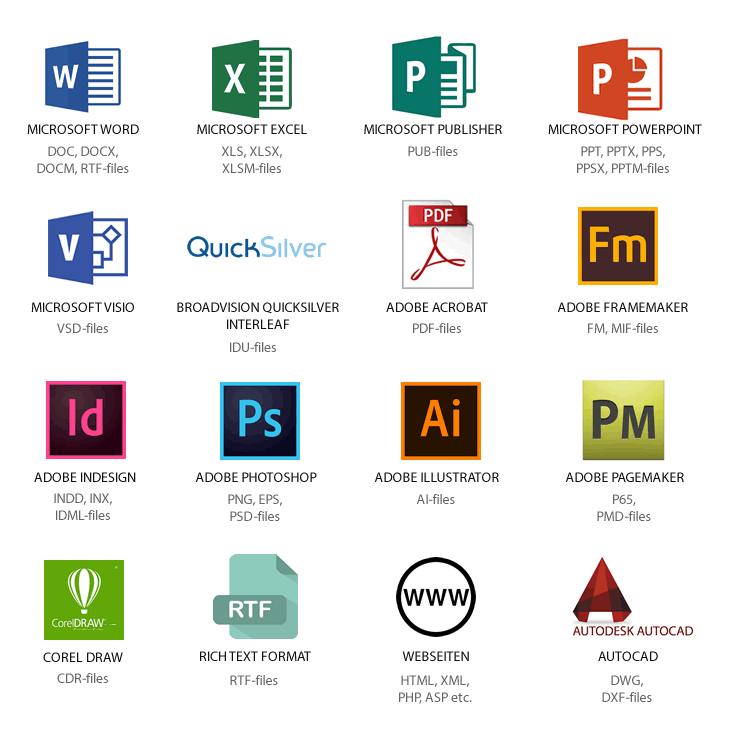
-
0%
Desktop Publisher
-
0%
Browser
-
0%
Augmented Reality
-
0%
Social Media
Q.103.
What is this software?
-
0%
Desktop Publisher
-
0%
Browser
-
0%
Augmented Reality
-
0%
Video Game
Q.104.
What is this software?

-
0%
Social Media
-
0%
Browser
-
0%
Augmented Reality
-
0%
Video Game
Q.105.
What is this software?
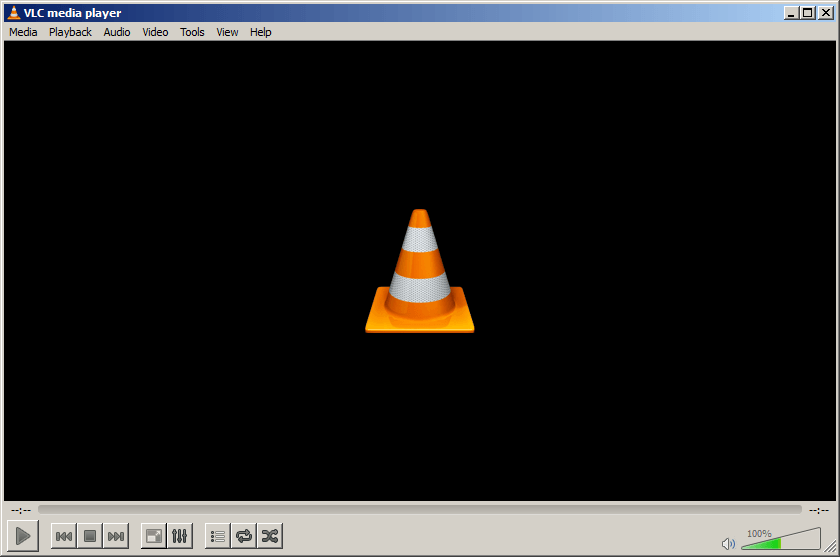
-
0%
Social Media
-
0%
Browser
-
0%
Multimedia Player
-
0%
Video Game
Q.106.
Software is a program which consists of a set of instructions that tells the computer how to perform an operation.
-
0%
True
-
0%
False
Q.107.
System software is a type of software that enables a computer and its peripheral devices to function smoothly.
-
0%
True
-
0%
False
Q.108.
System software provides the environment in which the applications run.
-
0%
True
-
0%
False
Q.109.
The two types of software are system software and application software.
-
0%
True
-
0%
False
Q.110.
Microsoft Windows is an example of Application Software.
-
0%
True
-
0%
False
Q.111.
Microsoft Word is an example of System Software.
-
0%
True
-
0%
False
Q.112.
A computer can function properly without Application Software.
-
0%
True
-
0%
False
Q.113.
Each computer has only one application software.
-
0%
True
-
0%
False
Q.114.
Database programs, spreadsheets and graphics software are examples of utility software.
-
0%
True
-
0%
False
Q.115.
We can have more than five application software in one computer.
-
0%
True
-
0%
False
Q.116.
ซอฟต์แวร์ คือ
-
0%
โปรแกรมชุดของคำสั่งที่ควบคุมการทำงานของคอมพิวเตอร์
-
0%
อุปกรณ์เทคโนโลยีระดับสูง
-
0%
โปรแกรมแก้ปัญหาทุกอย่างของมนุษย์
-
0%
อุปกรณ์ที่ทำหน้าเสมือนสมองกล
Q.117.
ข้อใดไม่ใช่ระบบปฏิบัติการ
-
0%
ระบบปฏิบัติการดอส
-
0%
ระบบปฏิบัติการไมโครซอฟท์เวิร์ด
-
0%
ระบบปฏิบัติการไมโครซอฟต์วินโดวส์
-
0%
ระบบปฏิบัติการ แอนดรอยด์
Q.118.
ชนิดของซอฟต์แวร์ (software) มีทั้งหมดกี่ชนิด
-
0%
มี 1 ชนิด 1.ซอฟต์แวร์ระบบ
-
0%
มี 2 ชนิด 1.ซอฟต์แวร์ระบบ 2.ซอฟต์แวร์ประยุกต์
-
0%
มี 3 ชนิด 1.ซอฟต์แวร์ระบบ 2.ซอฟต์แวร์ ประยุกต์ 3.ซอฟต์แวร์บุคคล
-
0%
มี 4 ชนิด 1.ซอฟต์แวร์ระบบ 2.ซอฟต์แวร์ประยุกต์ 3.ซอฟต์แวร์บุคคล 4. ซอฟต์แวร์ บริหาร
Q.119.
ซอฟต์แวร์ประมวลคำ คือข้อใด
-
0%
word processing software
-
0%
spreadsheet software
-
0%
database management software
-
0%
presentation software
Q.120.
ซอฟต์แวร์ตารางทำงาน
-
0%
word processing software
-
0%
spreadsheet software
-
0%
database management software
-
0%
presentation software
Q.121.
ซอฟต์แวร์จัดการฐานข้อมูล
-
0%
word processing software
-
0%
spreadsheet software
-
0%
database management software
-
0%
presentation software
Q.122.
ซอฟต์แวร์นำเสนอ
-
0%
word processing software
-
0%
spreadsheet software
-
0%
database management software
-
0%
presentation software
Q.123.
ซอฟต์แวร์สื่อสาร
-
0%
word processing software
-
0%
spreadsheet software
-
0%
database management software
-
0%
communication software
Q.124.
ซอฟต์แวร์นำเสนอ คือข้อใด
-
0%
Microsoft Excel
-
0%
Microsoft Access
-
0%
Microsoft Outlook
-
0%
Microsoft PowerPoint
Q.125.
โปรแกรมวินโดวส์ เป็นซอฟต์แวร์ประเภทใด
-
0%
ซอฟต์แวร์ระบบ
-
0%
ซอฟต์แวร์ประยุกต์
-
0%
ซอฟต์แวร์สำเร็จ
-
0%
ซอฟต์แวร์ที่พัฒนาขึ้นใช้งานเฉพาะ
Q.126.
โปรแกรมเชื่อมต่อกับเครือข่ายอินเทอร์เน็ต คือโปรแกรมใด
-
0%
Microsoft Word
-
0%
Internet Explorer
-
0%
Google Chrome
-
0%
ถูกทั้ง ข และ ค
Q.127.
ข้อใดคือ URL เว็บไซต์ครูเชียงราย
-
0%
www.kruchiangrai.ac.th
-
0%
www.kruchiangrai.co.th
-
0%
www.kruchiangrai.net
-
0%
www.kruchiangrai.com
Q.128.
นักเรียนได้รับประโยชน์จากการใช้งานคอมพิวเตอร์ในด้านใดมากที่สุด
-
0%
ด้านการศึกษา ด้านความรู้ ด้านการใช้งาน
-
0%
ด้านการเงิน / การธนาคาร
-
0%
ด้านความบันเทิง
-
0%
ด้านสุขภาพและการออกกำลังกาย
Q.129.
ข้อใดคือความหมายของ ฮาร์ดแวร์ ?
-
0%
โปรแกรมที่สั่งให้คอมพิวเตอร์ทำงาน
-
0%
ส่วนประกอบของเครื่องคอมพิวเตอร์
-
0%
ขั้นตอนในการปฏิบัติงาน
-
0%
บุคลากรที่ทำงานกับคอมพิวเตอร์
Q.130.
ข้อใด คือ ฮาร์ดแวร์
-
0%
เกมคอมพิวเตอร์
-
0%
เมาส์
-
0%
แป้นพิมพ์
-
0%
ถูกทั้ง ข และ ค
Q.131.
ข้อใดเป็นหน้าที่ของซอฟต์แวร์ระบบ
-
0%
ควบคุมการทำงานของฮาร์ดแวร์
-
0%
ควบคุมการทำงานของซอฟต์แวร์ประยุกต์
-
0%
ควบคุมการอ่านและบันทึกข้อมูลของหน่วยเก็บข้อมูล
-
0%
ถูกทุกข้อ
Q.132.
ข้อใดเป็นซอฟต์แวร์ระบบ
-
0%
ซอฟต์แวร์สื่อสาร
-
0%
ซอฟต์แวร์ประมวลผลคำ
-
0%
ซอฟต์แวร์กราฟิกและสื่อประสม
-
0%
ซอฟต์แวร์จัดเรียงข้อมูลฮาร์ดดิสก์
Q.133.
ข้อใดไม่ใช่หลักในการพิจารณาเลือกใช้ซอฟต์แวร์ประยุกต์
-
0%
งบประมาณ
-
0%
รุ่นของระบบปฏิบัติการ
-
0%
คุณลักษณะของเครื่องคอมพิวเตอร์
-
0%
รุ่นของโปรแกรมแปลภาษาคอมพิวเตอร์
Q.134.
ซอฟต์แวร์ประมวลผลคำ ซอฟแวร์ตารางทำงาน เป็นซอฟต์แวร์ประเภทใด
-
0%
ระบบปฏิบัติการ
-
0%
ซอฟต์แวร์ประยุกต์ทั่วไป
-
0%
ซอฟต์แวร์ประยุกต์เฉพาะ
-
0%
โปรแกรมภาษา
Q.135.
ภาษาคอมพิวเตอร์ มีกี่ชนิด
-
0%
3 ชนิด ภาษาโปรแกรมประยุกต์ ภาษาโปรแกรมประยุกต์ทั่วไป ภาษาโปรแกรมเฉพาะ
-
0%
3 ชนิด ภาษเครื่อง ภาษาระดับต่ำ ภาษาระดับสูง
-
0%
2 ชนิด โปรแกรมคอมไพเลอร์ โปรแกรมอินเตอร์เพรทเตอร์
-
0%
ผิดทุกข้อ
Q.136.
ข้อใดต่อไปนี้ใช้เทคโนโลยีช่วยในการทำงานได้อย่างถูกต้อง
-
0%
สมศรีจัดทำรายงานด้วย PowerPoint
-
0%
สมชายนำเสนองานหน้าชั้นเรียนด้วยโปรแกรม Word
-
0%
มานีจัดทำข้อมูลสารสนเทศน้ำหนัก ส่วนสูง ของเพื่อนในชั้นเรียนด้วย Excel
-
0%
มานะนำเสนองานหน้าชั้นเรียนผ่านโทรศัพท์มือถือ
Q.137.
จากภาพเป็นซอฟต์แวร์ประเภทใด

-
0%
ระบบปฏิบัติการ
-
0%
ประยุกต์ทั่วไป
-
0%
ประยุกต์เฉพาะงาน
-
0%
โปรแกรมภาษา
Q.138.
ซอฟต์แวร์แบบ Open Source หมายถึง
-
0%
ซอฟต์แวร์ที่ให้ใช้ฟรี
-
0%
ซอฟต์แวร์ที่ให้ทดลองใช้
-
0%
ซอฟต์แวร์ที่เผยแพร่ต้นฉบับให้พัฒนาต่อได้
-
0%
ซอฟต์แวร์ที่ฟรีและเผยแพร่รหัสให้พัฒนาต่อได้
Q.139.
____ software consists of programs designed to make users more productive and/or assist them with personal tasks.
-
0%
Application
-
0%
Utility
-
0%
Operating
-
0%
System
Q.140.
When you click Paint Program, Windows loads the Paint program instructions from the computer’s hard disk into ____.
-
0%
storage
-
0%
memory
-
0%
dialog
-
0%
command space
Q.141.
A(n) ____ is a collection of data organized in a manner that allows access, retrieval, and use of that data.
-
0%
spreadsheet
-
0%
formula
-
0%
database
-
0%
functional set
Q.142.
Which of the following is an example of photo editing software for the professional?
-
0%
Adobe InDesign
-
0%
Autodesk AutoCAD
-
0%
Adobe Photoshop
-
0%
Adobe Illustrator
Q.143.
____ software allows users to modify a segment of a video, called a clip.
-
0%
Image editing
-
0%
Video editing
-
0%
Clip manager
-
0%
Video player
Q.144.
____ software allows users to draw pictures, shapes, and other graphical images with various on-screen tools.
-
0%
Paint
-
0%
Design
-
0%
Pixel Manipulation
-
0%
Color Library
Q.145.
Microsoft Excel, OpenOffice Calc, and Google Sheets are the examples of:
-
0%
Word Processor
-
0%
Spreadsheet
-
0%
Presentation application
-
0%
Database
Q.146.
Prezi, Google Slides, and OpenOffice Impress are the examples of:
-
0%
Word processor
-
0%
Spreadsheet
-
0%
Presentation
-
0%
Database
Q.147.
The three types of software are the following except
-
0%
System Software
-
0%
Application Software
-
0%
Utility Sofware
-
0%
Media Software
Q.148.
These programs carry out precise and accurate tasks. It helps manage, maintain and control all computer resources.
-
0%
Operating System
-
0%
Application System
-
0%
Utility Program
Q.149.
These are programs that identify, reject and eliminate software viruses.
-
0%
Computer games
-
0%
Back up software
-
0%
Antivirus software
-
0%
DBMS
Q.150.
The example of Utility Software
-
0%
Microsft word
-
0%
Mozilla firefox
-
0%
Canva
-
0%
Disk Defragmanter
Q.151.
What happens during Defragmentation?
-
0%
Information is rearranged on a USB
-
0%
Information is rearranged on a Hard Drive
-
0%
To make the retrieval of data quicker
-
0%
To make the retrieval of data slower
Q.152.
Utility Programs are one category of system software.
-
0%
True
-
0%
False
Q.153.
Which of the following is an example of configuring an application program?
-
0%
Setting a default save location and customizing toolbar buttons.
-
0%
Making an adjustment in the Control Panel that tells the operating system to run the program in compatibility mode so that the application works smoothly
-
0%
Making an edit to the Windows Registry so the application starts immediately after the Desktop displays.
-
0%
Using your Microsoft ID to log in to your computer instead of using a local log in account.
Q.154.
What do you need to do before you can download or install apps from the Windows Store?
-
0%
Sign in with a Microsoft Account
-
0%
Update your operating system
-
0%
Open an Outlook.com email account
-
0%
Create an account on the Windows Store
Q.155.
What was the original size limit for messages sent via SMS?
-
0%
160 characters
-
0%
16 KB
-
0%
160 KB
-
0%
16 MB
Q.156.
Which of the following is true regarding Gmail chat
-
0%
Chat sessions take place on Google Hangouts
-
0%
You cannot use the chat feature from within Gmail
-
0%
You must download and install the G-Chat desktop client before you can use Gmail chat
-
0%
Messages that you send in Gmail chat are limited to 160 characters
Q.157.
Which software application would you use to create a report?
-
0%
Spreadsheet
-
0%
Word processing
-
0%
Presentation
-
0%
Database
Q.158.
Which type of software would you use to store customer data?
-
0%
Database
-
0%
Presentation
-
0%
Word Processing
-
0%
Spreadsheet
Q.159.
Which type of software is used to access the Internet web sites?
-
0%
Database
-
0%
Browser
-
0%
Presentation
-
0%
Spreadsheet
Q.160.
Which type of software would you use to maintain information about account holders at a Bank or Building Society?
-
0%
Spreadsheet
-
0%
Word processing
-
0%
Database
-
0%
Stock control
Q.161.
Which of the following combination of programs are all application software?
-
0%
Windows, Linux, Word.
-
0%
Word, Excel, Windows
-
0%
Linux, Internet Explorer, Outlook Express
-
0%
Word, PowerPoint, Internet Explorer
Q.162.
What kind of programs are Paradox, Microsoft Access, FoxPro, and MySQL?
-
0%
Database programs
-
0%
CAD / CAM programs
-
0%
Page layout programs
-
0%
Spreadsheet programs
Q.163.
What kind of program is Microsoft Office Word?
-
0%
Spreadsheet
-
0%
Word Processor
-
0%
Database
-
0%
Graphic
Q.164.
Which one is not a programming language?
-
0%
Java
-
0%
C++
-
0%
Chrome
-
0%
Python
Q.165.
Για να μπορεί το Υλικό (hardware) να εκτελεί και την πιο απλή εργασία χρειάζεται εντολές.
-
0%
Σωστό
-
0%
Λάθος
Q.166.
Ένα Λ.Σ. (λειτουργικό σύστημα) δεν είναι κατάλληλο για όλα τα είδη υπολογιστών, είναι όμως δυνατόν ο ίδιος υπολογιστής να χρησιμοποιεί διαφορετικά Λ.Σ. ή διαφορετικοί υπολογιστές να χρησιμοποιούν το ίδιο Λ.Σ.
-
0%
Σωστό
-
0%
Λάθος
Q.167.
Ένα πρόγραμμα (λογισμικό εφαρμογών) πχ το word μπορεί να τρέξει σε οποιοδήποτε Λειτουργικό Σύστημα
-
0%
Σωστό
-
0%
Λάθος
Q.168.
Τα τελευταία χρόνια πολλοί κατασκευαστές προγραμμάτων προσφέρουν τα προγράμματα τους δωρεάν στο Διαδίκτυο .Πως ονομάζονται αυτα?
-
0%
open mind
-
0%
open source
-
0%
on demand
Q.169.
Software is divided into two categories,________ and _______.
-
0%
input and output
-
0%
application and system
-
0%
online and offline